Two NVIDIA DGX Sparks, one cluster
September 22, 2026/8 min read/Hannes Hapke
The mystery of the 26 Gbps link
Part 2 of 3. Previously: Day one with the DGX Spark · Next: Running GLM-5.2 on two DGX Sparks with llama.cpp
One NVIDIA DGX Spark™ has 128 GB of coherent unified memory. Connecting two DGX Sparks over ConnectX-7 ports gives you 256 GB; enough for models in the 400B-parameter class, or an aggressive quantized 744B model (that's Part 3). This post covers the clustering setup, then takes a detour to troubleshoot a link that should be 200 Gb/s but delivered only 26 Gb/s. the link came up at 200 Gb/s but delivered only 26 Gb/s. Finding out why taught me more about the DGX Spark than the setup did.
First, let’s set the expectations: You don't merge two DGX Sparks into one machine. You link them into a two-node cluster and then run software that can span nodes, such as vLLM with tensor parallelism, PyTorch distributed, NCCL, or llama.cpp's RPC backend. Memory isn't pooled transparently; the framework splits the model across both boxes and shuttles activations over the link.
The link itself is 200 Gb/s Ethernet with RDMA (RoCE). Fast for a network, but slow compared to the memory bandwidth within a single DGX Spark. Expect sub-linear scaling on anything communication-heavy.
The QSFP ports only support Ethernet mode, and NVIDIA is specific about cables. The approved parts are the Amphenol NJAAKK-N911 (QSFP112 400G DAC, 400 mm; NJAAKK0006 is the 0.5 m version) and the Luxshare LMTQF022-SD-R. Neither is in the box. Cheaper 100G or 200G DACs will fit and link up — at a fraction of the speed.
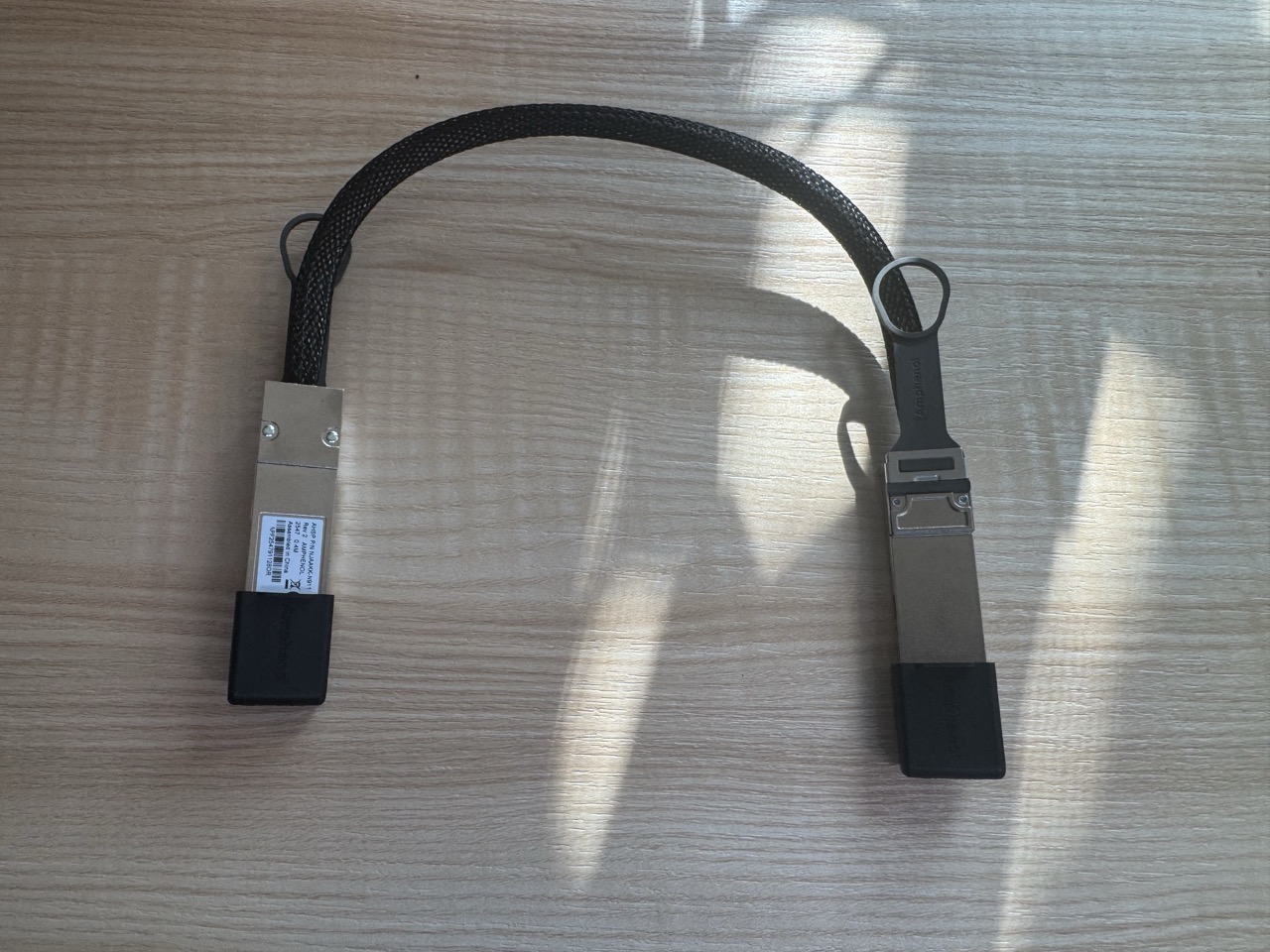
We are using the Amphenol NJAAKK-N911 cable
Use exactly one cable. A second one doesn't add bandwidth; each port is already capped at 200 Gb/s. Plug into the same port on both units (I used the left one, nearest the RJ-45), pull the tab up, no force. Each DGX Spark keeps its own 240 W adapter.
Before cabling, update both machines via the DGX Dashboard — the Cluster Assistant requires the April 2026 release or later — and use the same username, UID, and GID on both machines. We already addressed this in Part 1. Different usernames mean different home paths, and every script you write later will hate you for it.
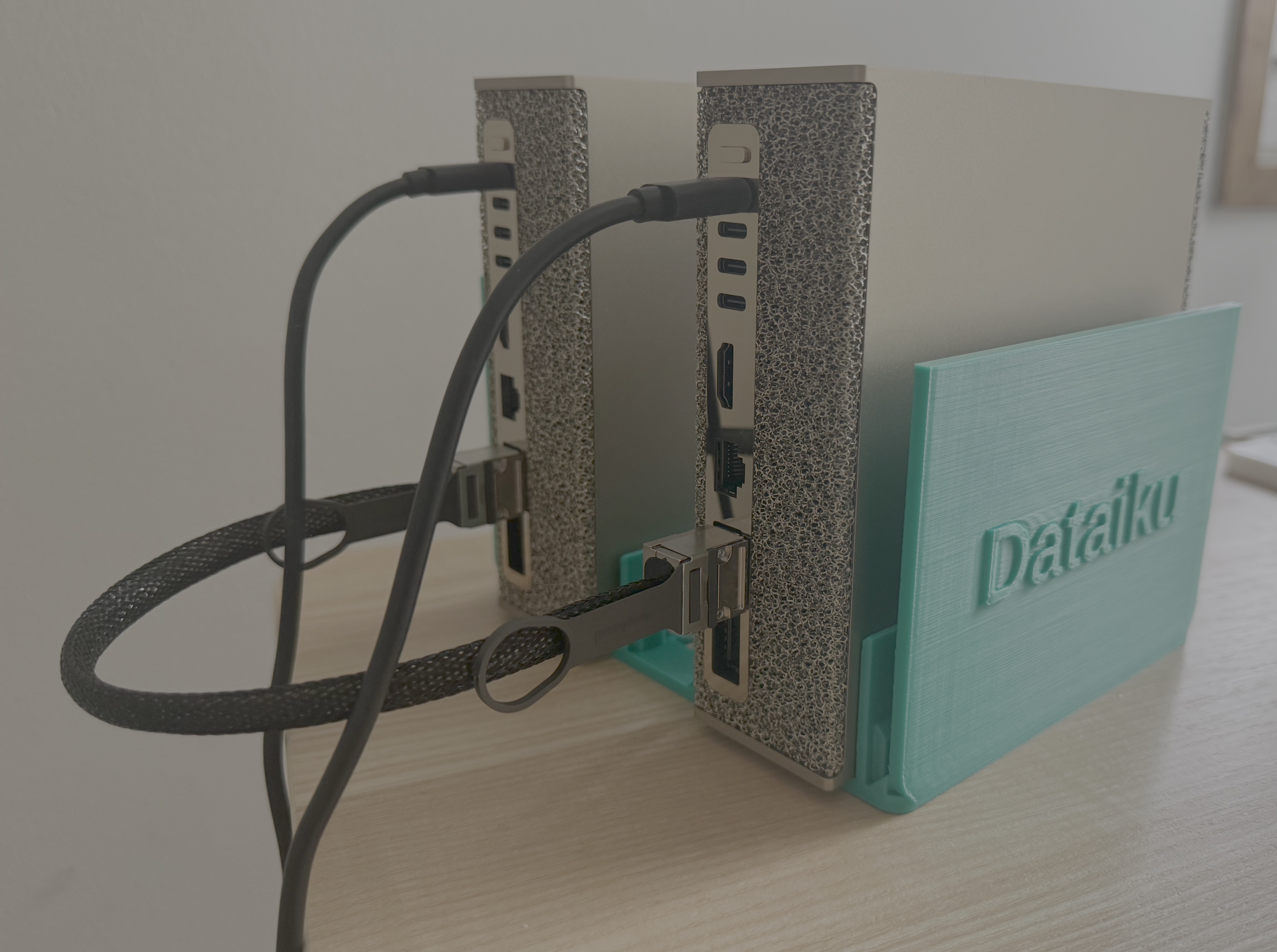
After setting up the hardware, your setup should look like this
NVIDIA Sync has a Cluster Assistant (Settings → Cluster Assistant → Add New Cluster). It checks both devices, detects the ConnectX-7 interfaces and cabling, assigns cluster IPs, sets up key-based SSH between the nodes with aliases, and runs a bandwidth and latency test with a pass threshold of 184 Gbit/s.
NVIDIA Video on how to setup clusters using NVIDIA Sync
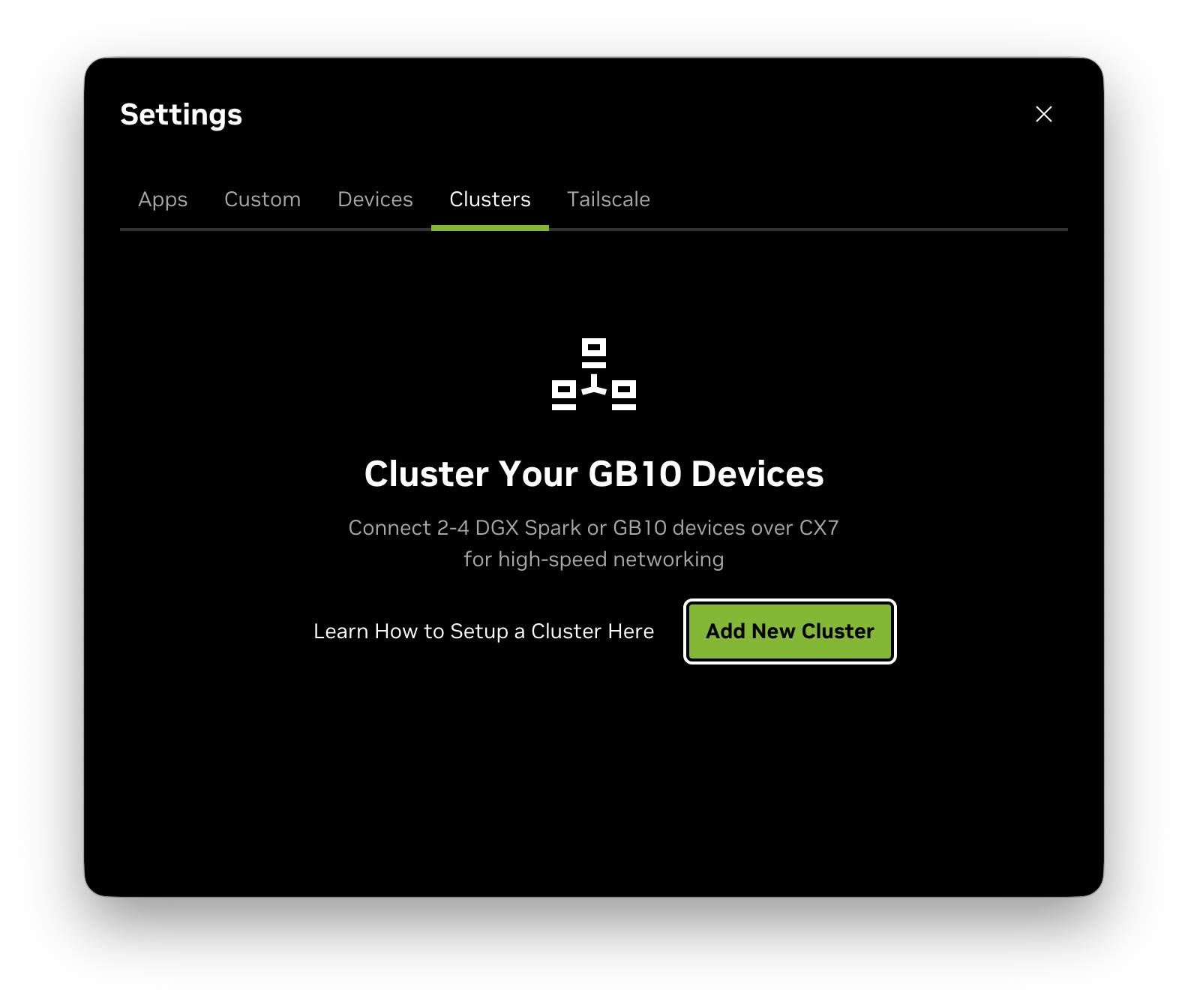
Start screen of the cluster configuration

First step, name your cluster
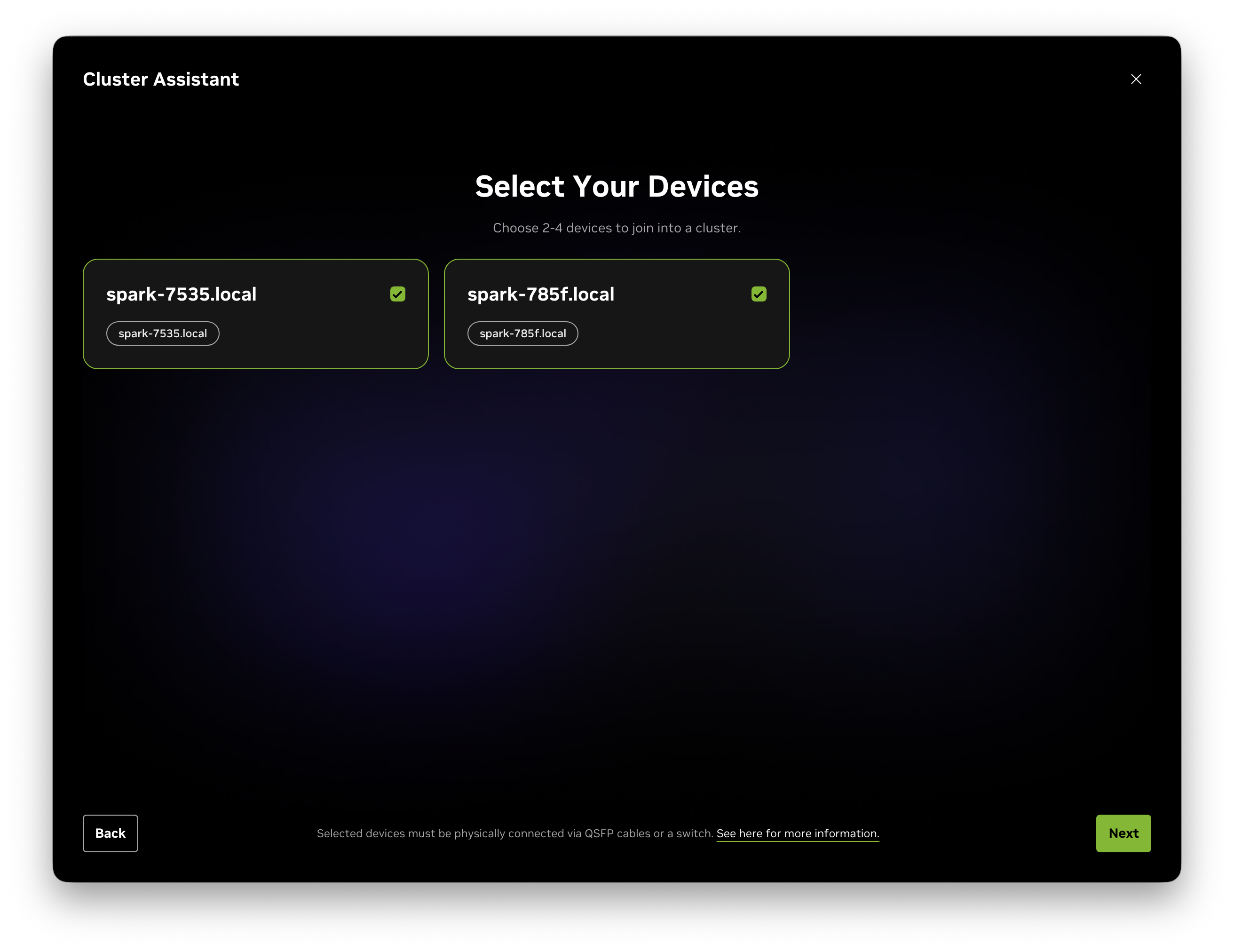
The Cluster Assistant will detect available instances
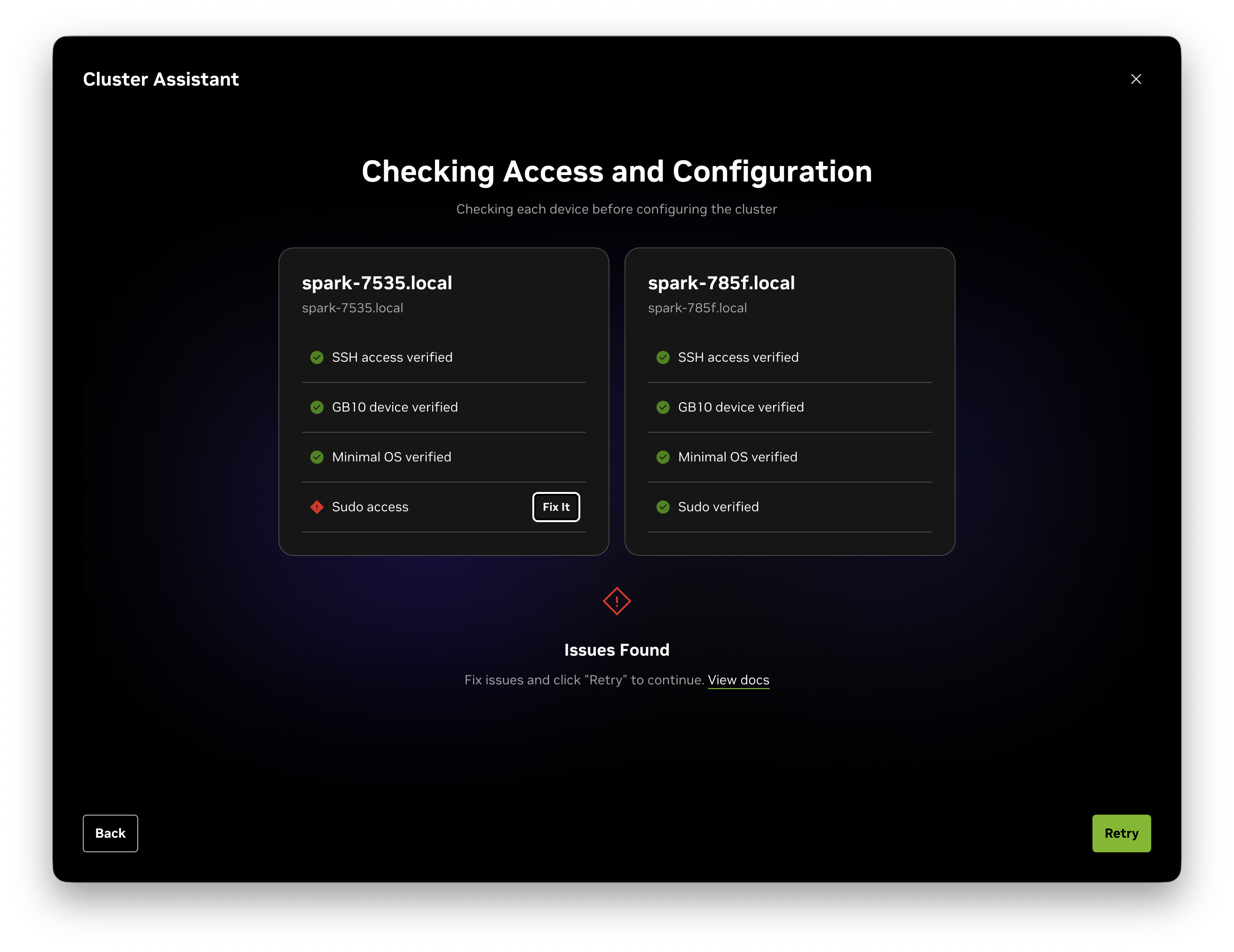
The assistant is checking the usernames, permissions, and home paths. In our case, the permissions had to be updated.
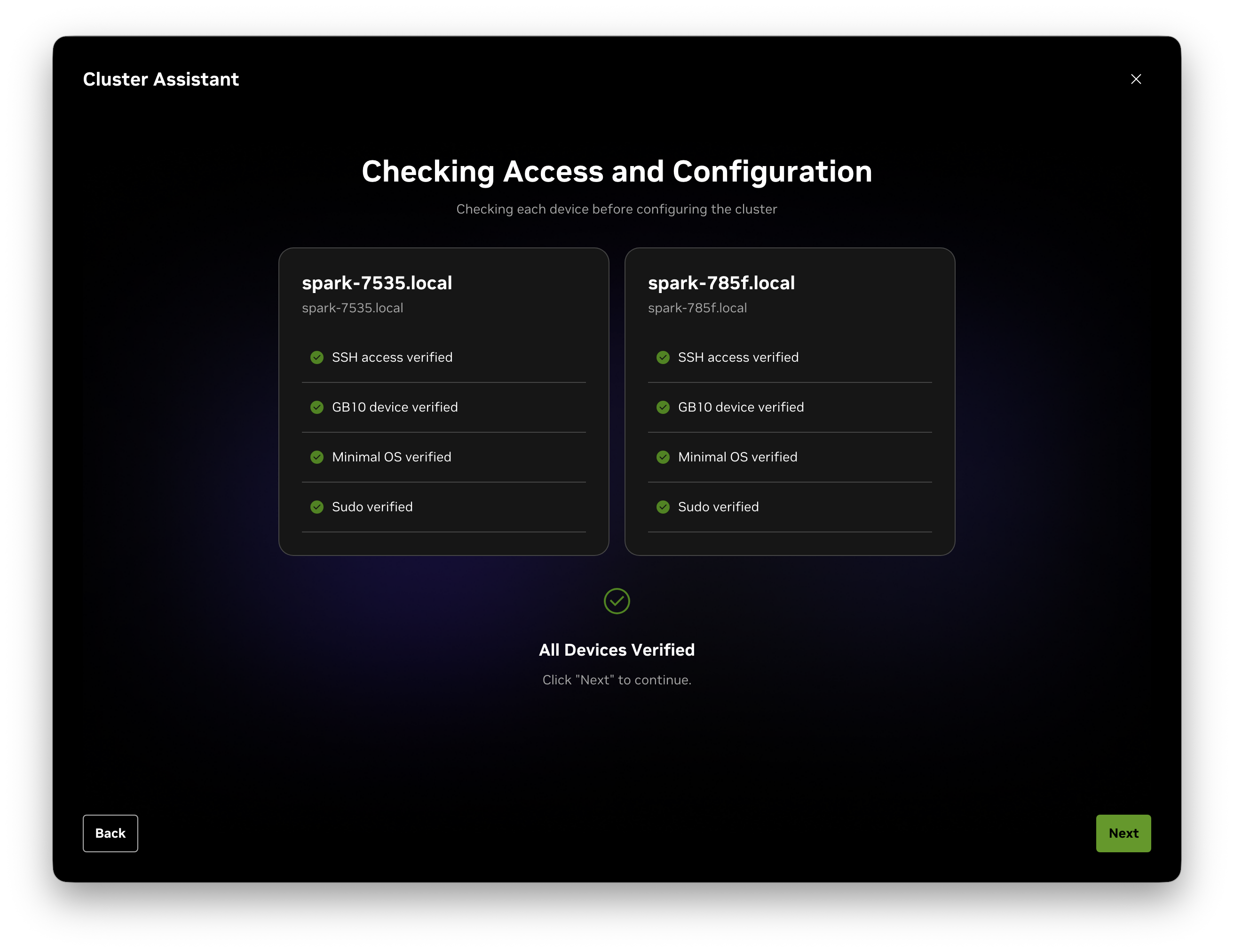
Once everything is corrected, you should see an all-green
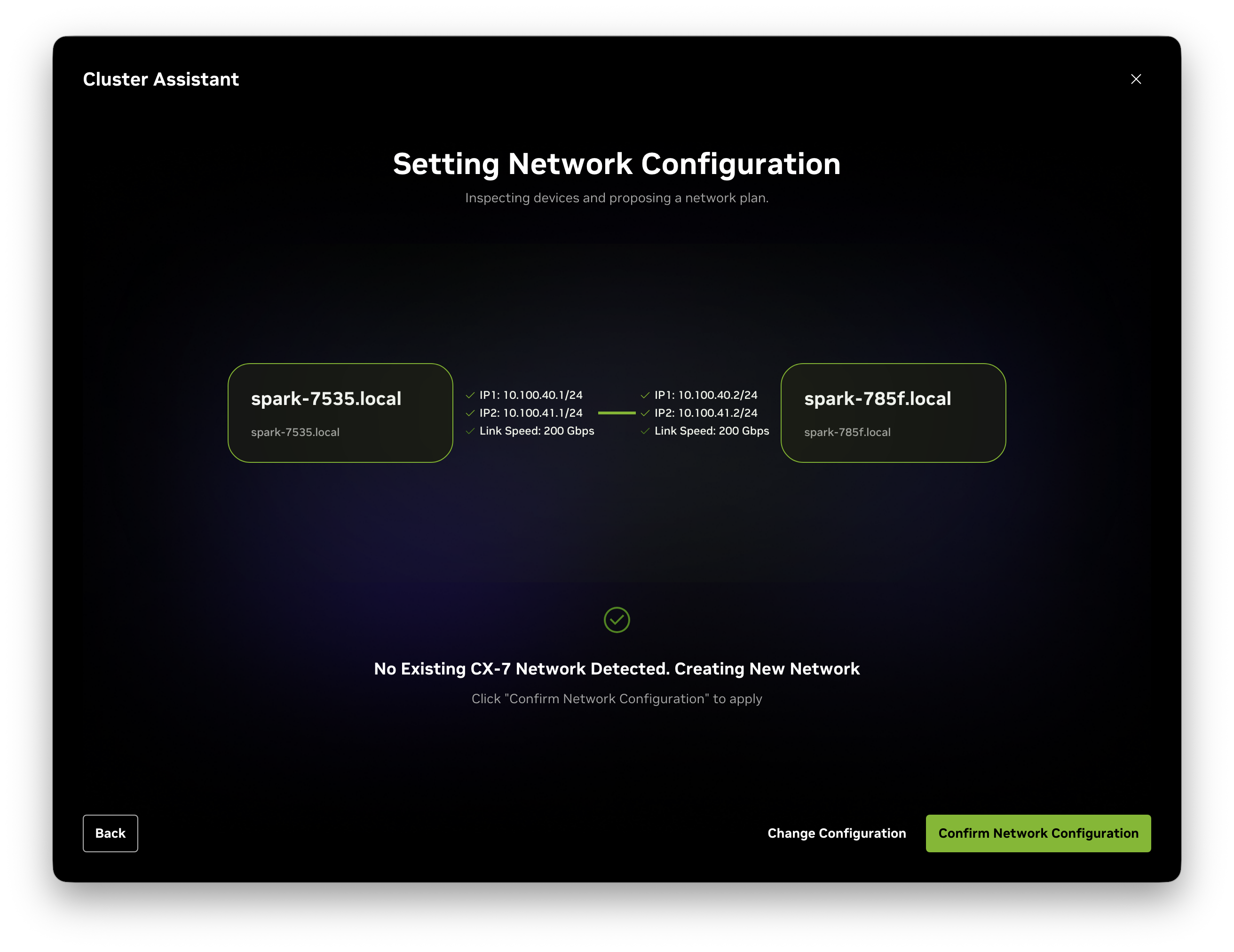
The next step is the network connection between the instances
One detail that matters later: each QSFP port shows up as two Linux interfaces, because the ConnectX-7 hangs off two PCIe Gen5 x4 links. On my nodes:
rocep1s0f0   port 1 ==> enp1s0f0np0   (Up)     10.100.40.x
roceP2p1s0f0 port 1 ==> enP2p1s0f0np0 (Up)     10.100.41.x
Two "rails", each with its own IP, on one physical cable. The full 200 Gb/s only exists across both rails together; a single rail tops out around 100 Gb/s. NCCL and vLLM use both automatically. Keep this in mind when you benchmark.
If you'd rather do it by hand, NVIDIA's connect-two-sparks playbook ships a netplan file (cx7-netplan.yaml) you drop into /etc/netplan/ and apply.
The Assistant's speed test came back with an orange triangle:
spark-7535.local  ——  Speed: 26.6 Gbps ⚠   Latency: 1.7 µs ✓  ——  spark-785f.local
Tests Completed With Warnings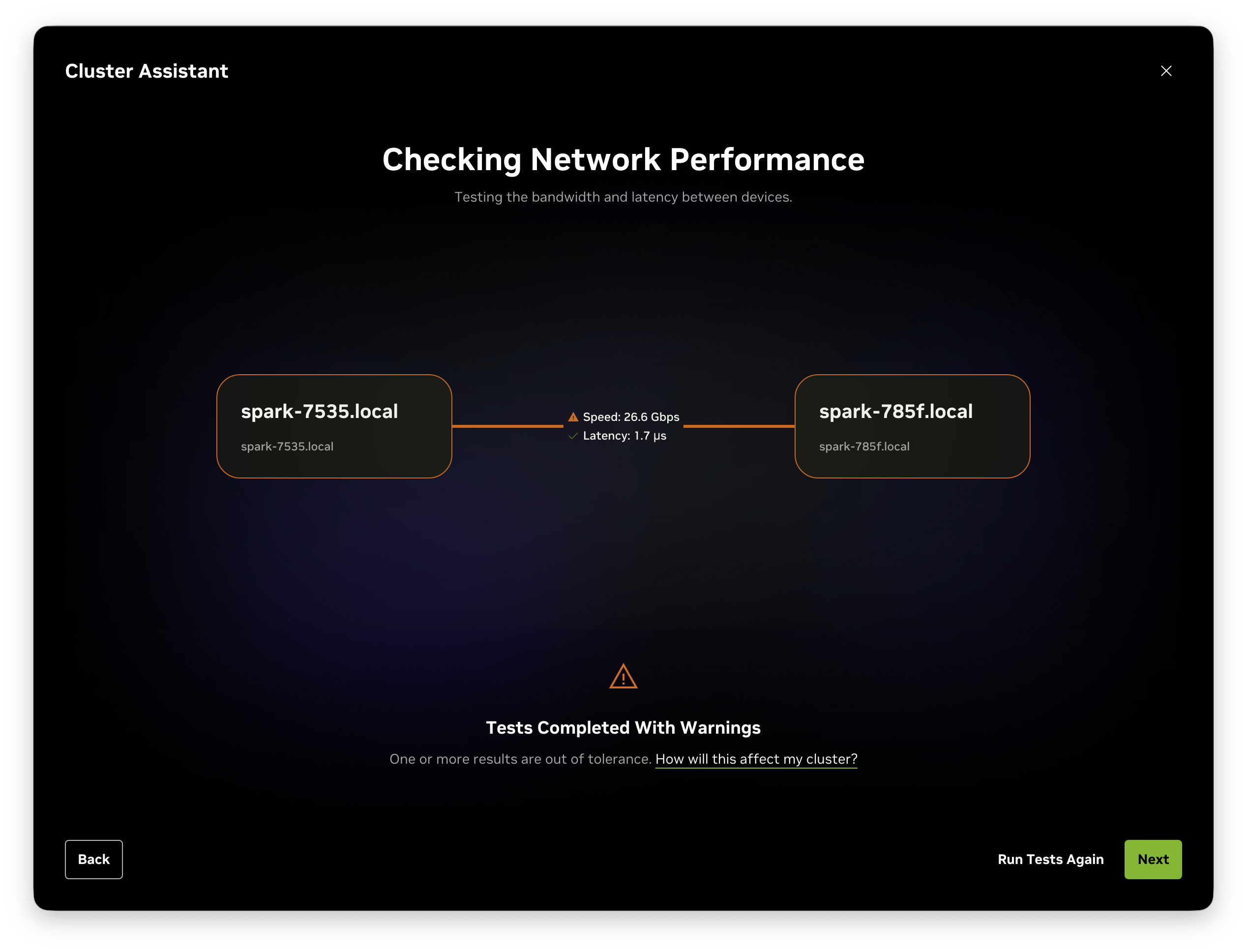
We experienced a low bandwidth out of the box
Latency perfect, bandwidth at 13% of spec. NVIDIA's docs say a bandwidth warning doesn't necessarily mean the cluster is broken, and you can continue. Tensor-parallel inference would crawl at 26 Gbps, so I didn't use it.
Here's the sequence, in the order I'd do it again. Each step rules out one layer.
$ sudo ethtool enp1s0f0np0 | grep -Ei 'speed|link detected'
Speed: 200000Mb/s
Link detected: yes
Same on both nodes. So the cable was fine, and the link had trained at full rate. Whatever was wrong was above the physical layer.
The Assistant's number could have been an artifact of its test method: single-stream iperf3 is CPU-bound and shows 25–40 Gbps on a perfectly healthy 200G link. So I measured what NCCL actually uses, RDMA writes, with perftest:
# server
$ ib_write_bw -d rocep1s0f0 --report_gbits
# client
$ ib_write_bw -d rocep1s0f0 --report_gbits spark-7535.local
Mtu             : 1024[B]
#bytes  #iterations  BW peak[Gb/sec]  BW average[Gb/sec]
65536   5000         15.02            14.91
Two things in that output. The bandwidth was worse than the Assistant's number. And the RDMA path MTU was 1024 bytes. That's derived from the Ethernet interface MTU, at the default 1500, you get 1024-byte RDMA packets, and throughput suffers badly. With jumbo frames, you get 4096.
# both nodes, both rail interfaces
$ sudo ip link set enp1s0f0np0 mtu 9000
$ sudo ip link set enP2p1s0f0np0 mtu 9000
$ ibv_devinfo -d rocep1s0f0 | grep active_mtu    # 4096
Then I tested both rails in parallel, four queue pairs each, which is the only way to see anything near 200:
# spark-7535
$ ib_write_bw -d rocep1s0f0   -q 4 -p 18515 --report_gbits &
$ ib_write_bw -d roceP2p1s0f0 -q 4 -p 18516 --report_gbits &
# spark-785f
$ ib_write_bw -d rocep1s0f0   -q 4 -p 18515 --report_gbits spark-7535.local &
$ ib_write_bw -d roceP2p1s0f0 -q 4 -p 18516 --report_gbits spark-7535.local &
Mtu             : 4096[B]
65536   20000    14.69   14.48        # rail 1
65536   20000    13.45   13.44        # rail 2
MTU applied. Bandwidth unchanged. Both rails are capped at the same ~14 Gb/s. That symmetry is a clue: a marginal cable gives you asymmetric, jittery numbers. Two rails on separate PCIe links hitting the identical ceiling means something systemic.
(Keep the MTU change anyway — put mtu: 9000 on all four interfaces in the netplan file so it survives reboots. It's the right configuration; it just wasn't my problem.)
Each rail sits behind a Gen5 x4 link. If those had trained at Gen2/x4 or Gen3/x2 — which happens with hotplug and power management — you'd get a ceiling almost exactly where I was sitting.
$ sudo lspci -d 15b3: -vv | grep -E 'LnkCap:|LnkSta:'
LnkCap: Port #0, Speed 32GT/s, Width x4, ASPM not supported
LnkSta: Speed 32GT/s, Width x4
All four functions, both nodes: full Gen5 x4. Not that either.
$ for c in out_of_sequence packet_seq_err local_ack_timeout_err; do
  echo "$c: $(cat /sys/class/infiniband/rocep1s0f0/ports/1/hw_counters/$c)"
done
ethtool -S enp1s0f0np0 | grep -Ei 'crc|symbol|discard' | grep -v ': 0$'
Zeros everywhere.
So: 200G negotiated, full PCIe, no errors, jumbo frames, RDMA activated, and 14 Gb/s. At this point, the generic playbook was exhausted, and I went looking for other people with this exact signature.
There is a thread on the NVIDIA developer forums titled almost exactly like my symptom: ConnectX-7 Inter-Spark Link Capped at ~13 Gbps (Expected 200 Gbps) — PCIe Power Throttling (27W). The ConnectX-7 firmware was throttling itself based on a bogus 27-watt power report. Because it happens in the NIC, TCP, RDMA, and DPDK all hit the same ceiling, so nothing I measured on the host side could see it.
A site running four GB10 machines reported the same thing: 13 Gb/s out of the box, ~112 Gb/s per rail after a full system upgrade that brought in a newer driver and kernel. Someone on the ASUS Ascent GX10, based on the NVIDIA DGX Spark, went from 13 Gbps to 196 Gbps with an apt full-upgrade and a reboot.
And there was a tell in my own terminal history that I'd scrolled past. When I installed perftest on the two nodes:
spark-7535:  0 upgraded, 0 newly installed, 0 to remove and 40 not upgraded.
spark-785f:  0 upgraded, 0 newly installed, 0 to remove and 0 not upgraded.
One node was fully updated. The other had 40 packages pending. A cluster link is only as fast as its most stale endpoint.
On both nodes, the DGX Dashboard update (which bundles NIC firmware and driver), or equivalently:
$ sudo apt update && sudo apt full-upgrade -y
$ sudo fwupdmgr refresh && sudo fwupdmgr upgrade
$ sudo reboot        # with the QSFP cable connected
Then re-run the dual-rail ib_write_bw test and the Cluster Assistant's "Run Tests Again". After the update, the Assistant's speed test cleared the 184 Gbit/s bar, and the warning disappeared.
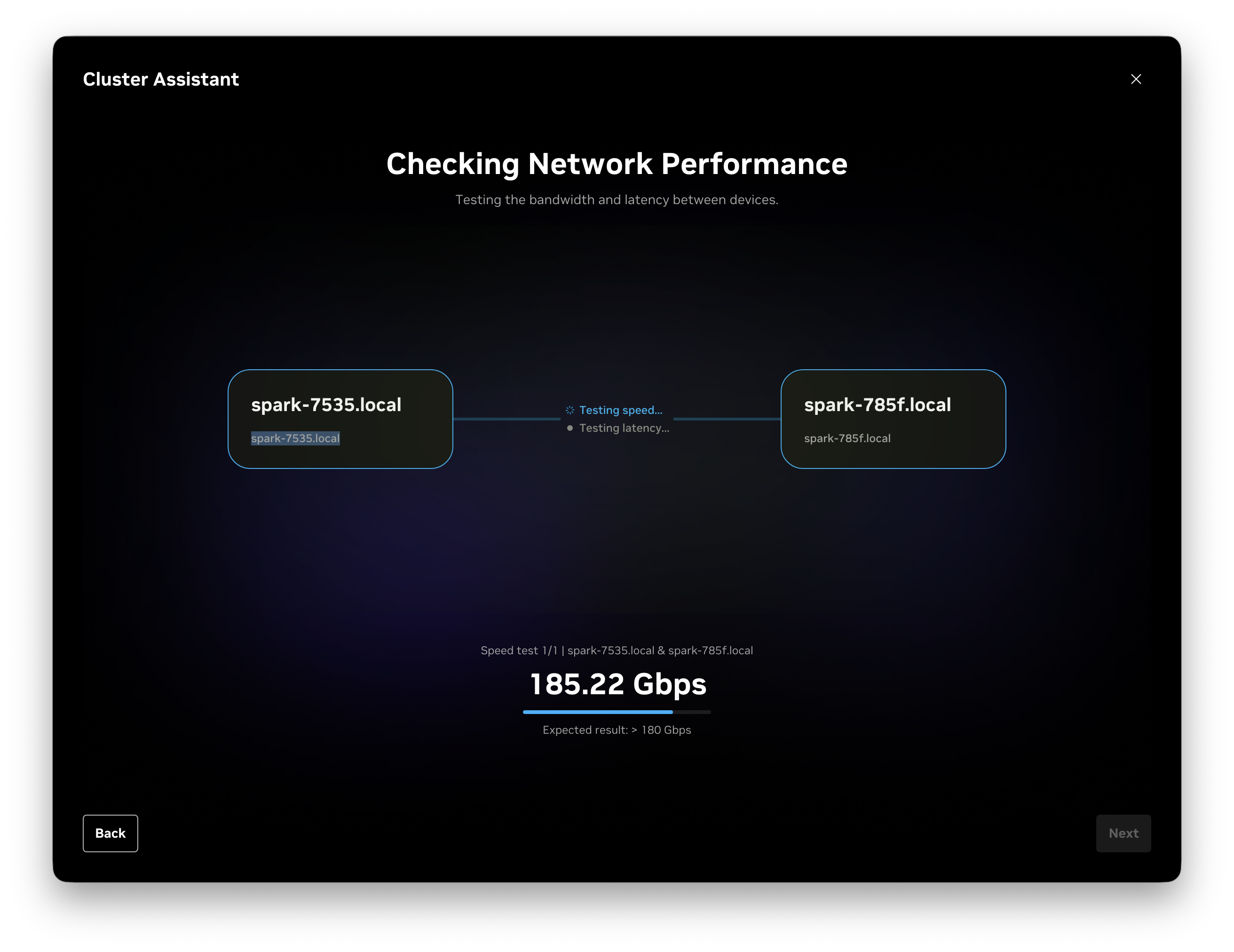
Bandwidth after the system update

Happy times - everything is working (source: https://giphy.com/gifs/wetv-excited-feelings-bliss-3rgXBxX4myufzT6N2w)
Update both DGX Sparks before you cable them. Then check apt on both anyway. "X not upgraded" on one node is a cluster problem waiting to happen.
The symptom signature for this bug is specific: 200000Mb/s from ethtool, 32GT/s x4 from lspci, zero error counters, and 13–15 Gb/s symmetric across both rails. If you see that, skip straight to updating.
Set MTU 9000 on all four CX7 interfaces. An RDMA path MTU of 1024 costs real throughput even on a healthy link.
Benchmark both rails, with multiple queue pairs. A single ib_write_bw on one device caps near 100 Gb/s by design. Don't chase 200 on one rail.
Don't trust single-stream iperf3 on this link. It measures your CPU.
Optional, for latency: community reports indicate that the DGX Sparks' default CPU idle states add noticeable inter-node latency, and that sudo cpupower idle-set -D 0 plus sudo cpupower frequency-set -g performance bring it down substantially. My RDMA latency was already fine, but worth knowing before a latency-sensitive NCCL job.
With the link finally behaving, the cluster was ready for something ambitious. Part 3 is the attempt to run GLM-5.2, all 744 billion parameters of it, on these two boxes.