Running GLM-5.2 on two NVIDIA DGX Sparks
September 22, 2026/8 min read/Hannes Hapke
Demonstrating the inference of 744B with llama.cpp
Part 3 of 3. Previously: Day one with the DGX Spark · Two DGX Sparks, one cluster — and the mystery of the 26 Gbps link
With two NVIDIA DGX Sparks™ clustered and the link finally running at spec, I wanted a demo that justified the second box: a frontier-scale open model, running entirely on two desktop-sized machines, streaming answers to colleagues over Tailscale. The target was Z.ai's GLM-5.2 with 744 billion parameters, 40 billion active, a 1M-token context window, and benchmark numbers in the same neighborhood as the big closed models.
This post is the full path: why my original plan (vLLM) didn't survive contact with the memory math, the four crashes on the way to a working server, and the tiny web page I put in front of it.
My plan was Unsloth's 2-bit dynamic quant of GLM-5.2, served with vLLM using NVIDIA's two-Spark playbook. Two problems, both fatal:
Format. Unsloth's 2-bit quant (UD-IQ2_M) is a GGUF, and their whole tutorial runs on llama.cpp. vLLM's GGUF support is narrow, single-GPU oriented, and it can't even parse Unsloth's UD- prefixed quant names through the repo:quant syntax. Nobody is pushing a 744B mixture-of-experts GGUF through vLLM's multi-node Ray path. For vLLM, you want safetensors, and a 4-bit safetensors GLM-5.2 needs 372+ GB. I have 256 GB memory between the two DGX Sparks.
Memory. Unsloth's own table says the 2-bit quant needs 245 GB of total memory. Two DGX Sparks have 256 GB of raw storage, minus two operating systems and CUDA overhead. That's zero headroom for KV cache. It would load and then die on the first real prompt.
So: llama.cpp with its RPC backend to span the two nodes, and the 1-bit dynamic quant (UD-IQ1_S), which needs 223 GB. Unsloth benchmarks it at roughly 76% top-1 agreement with the full model, and their demo of it writing a complete working game convinced me that's plenty for a demo. The 2-bit is a third-Spark problem.
Ollama from Part 1 was still holding memory:
$ sudo systemctl disable --now ollama # both nodes
Getting the nodes ready for llama.cpp:
$ sudo apt install -y build-essential cmake libcurl4-openssl-dev
$ git clone https://github.com/ggml-org/llama.cpp
$ cmake llama.cpp -B llama.cpp/build -DGGML_CUDA=ON -DGGML_RPC=ON
$ cmake --build llama.cpp/build --config Release -j --target llama-server llama-cli
The RPC worker binary has been renamed since most guides were written. --target rpc-server fails with "No rule to make target". The current name:
$ cmake --build llama.cpp/build --target help | grep -i rpc
# ... ggml-rpc-server
$ cmake --build llama.cpp/build --config Release -j --target ggml-rpc-server
Build identical versions on both nodes. Mismatched head and worker builds are a known source of inexplicable failures.
Downloading the model … enjoy a coffee while the model is downloading onto your node
$ pip install -U "huggingface_hub[cli]" --break-system-packages
$ export PATH="$HOME/.local/bin:$PATH"     # pip --user puts `hf` here
$ hf download unsloth/GLM-5.2-GGUF --local-dir ~/models/GLM-5.2-GGUF --include "*UD-IQ1_S*"
Run it in tmux. The model only needs to exist on the head node, llama.cpp streams the worker's share across the link at load time.
This is the part I got wrong first. The worker needs --host set to its own ConnectX-7 IP so the traffic rides the 200G link and not the LAN. I typed the head node's IP by mistake:
Starting RPC server v6.0.0
  endpoint       : 10.100.41.1:50052
  ...
Failed to create server socket
bind() can only use an address that the machine owns. Check with ip -4 addr | grep '10\.100\.' and use the right one:
# spark-785f (worker), in tmux
$ ./llama.cpp/build/bin/ggml-rpc-server --host 10.100.41.2 -p 50052
Rule of thumb: --host on the worker is my IP; --rpc on the head is the other node's IP.
When the head connects, the worker's log has a line worth celebrating:
transport      : TCP (RDMA auto-negotiate enabled)
RDMA probed: dev=roceP2p1s0f0 gid=3 RoCEv2 qpn=441 inline=316
RDMA activated: qpn=441->441 mtu=1024 rx_depth=24
Recent llama.cpp builds negotiate RDMA over RoCE for the RPC transport automatically. All the ConnectX-7 debugging from Part 2 paid off right here.
First attempt on the head, with the settings Unsloth recommends for llama.cpp:
$ ./llama.cpp/build/bin/llama-server \
  --model ~/models/GLM-5.2-GGUF/UD-IQ1_S/GLM-5.2-UD-IQ1_S-00001-of-00006.gguf \
  --rpc 10.100.41.2:50052 \
  -ngl 99 -fa 1 \
  --cache-type-k q4_1 --cache-type-v q4_1 \
  --ctx-size 32768 \
  --temp 1.0 --top-p 0.95 --min-p 0.01 \
  --host 0.0.0.0 --port 8080
Six minutes of weights streaming, then:
E ggml_gallocr_reserve_n_impl: failed to allocate RPC0[10.100.41.2:50052] buffer of size 20399357440
and on the worker:
ggml_backend_cuda_get_available_uma_memory: final available_memory_kb: 17836712
ggml_backend_cuda_buffer_type_alloc_buffer: allocating 19454.34 MiB on device 0: cudaMalloc failed: out of memory
The worker had taken ~103 GB of weights, leaving 17.4 GiB free, and llama.cpp then asked it for a 19.4 GiB compute buffer. Compute buffers scale with the micro-batch size, and the default of 512 is sized for machines that aren't 85% full of weights.
Fix: -b 1024 -ub 128, and context down to 16384 for margin. Prompt processing gets slower; for a demo, who cares?
Same load, same six minutes, then the worker died without an OOM message:
/home/admin/llama.cpp/ggml/src/ggml-cuda/fattn.cu:574: fatal error
#3  ggml_cuda_flash_attn_ext(ggml_backend_cuda_context&, ggml_tensor*)
Looking back at crash 1, that 19.4 GiB allocation had also happened inside ggml_cuda_flash_attn_ext. Same culprit both times: the q4_1-quantized KV cache. GLM-5.2 uses MLA-style attention (you can see it in the tensor names — attn_kv_a_mqa, attn_q_b), and the CUDA flash-attention path doesn't handle quantized KV for that attention shape. It either falls back to a giant dequantization buffer or aborts outright.
The irony: MLA's entire purpose is a tiny KV cache. Quantizing it buys almost nothing. At 16K context, the f16 cache is a couple of GB. I dropped the --cache-type-* flags.
$ ./llama.cpp/build/bin/llama-server \
  --model ~/models/GLM-5.2-GGUF/UD-IQ1_S/GLM-5.2-UD-IQ1_S-00001-of-00006.gguf \
  --rpc 10.100.41.2:50052 \
  -ngl 99 -fa 1 \
  --ctx-size 16384 \
  -b 1024 -ub 128 \
  --temp 1.0 --top-p 0.95 --min-p 0.01 \
  --host 0.0.0.0 --port 8080
A 744-billion-parameter model, answering questions from two gold boxes on a shelf.
Two log lines you'll see that are fine: the wall of model has unused tensor blk.78.* warnings is the model's multi-token-prediction layer, which llama.cpp deliberately ignores; and failed to fit params to free device memory: n_gpu_layers already set by user just means the auto-fitter stood down because I set -ngl 99.
llama-server exposes an OpenAI-compatible API. A first prompt:
$ curl http://localhost:8080/v1/chat/completions \
  -H "Content-Type: application/json" \
  -d '{"model":"glm-5.2","messages":[{"role":"user","content":"In two sentences, what are you and where are you running?"}],"max_tokens":2000}'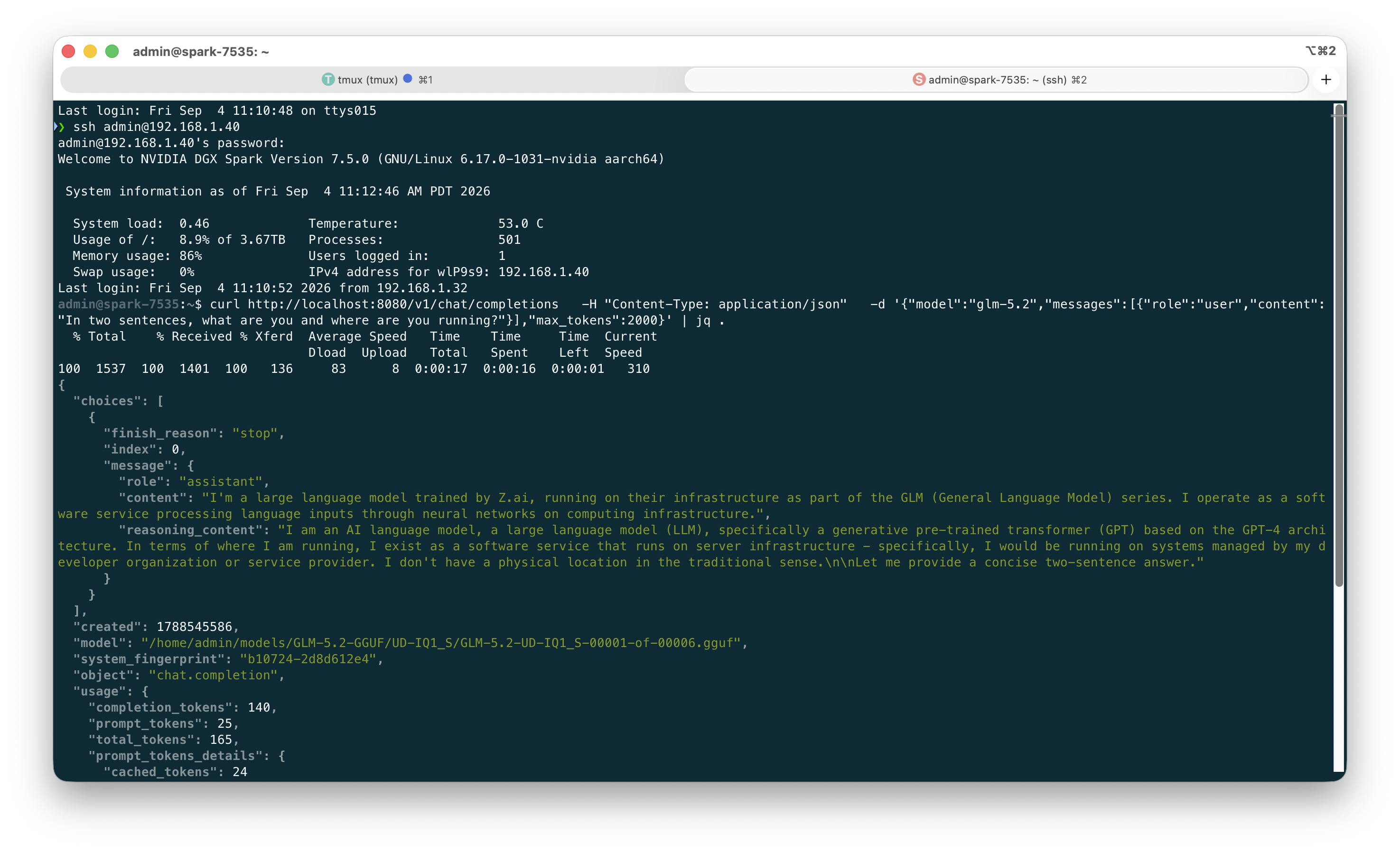
Demo inference using the Dual DGX Spark setup with a large LLM
Streaming works over curl with "stream": true and -N to stop curl buffering:
$ curl -sN http://localhost:8080/v1/chat/completions \
  -H "Content-Type: application/json" \
  -d '{"model":"glm-5.2","messages":[{"role":"user","content":"Write a haiku about two small computers thinking as one."}],"stream":true}' \
  | sed -u 's/^data: //' | grep -v '^\[DONE\]' \
  | jq -rj --unbuffered '.choices[0].delta.content // empty'
GLM-5.2 reasons by default, so the first token takes a while. Streaming hides that well — people watch the thinking arrive instead of a spinner. To skip reasoning for snappy answers, add "chat_template_kwargs": {"enable_thinking": false} to the request.
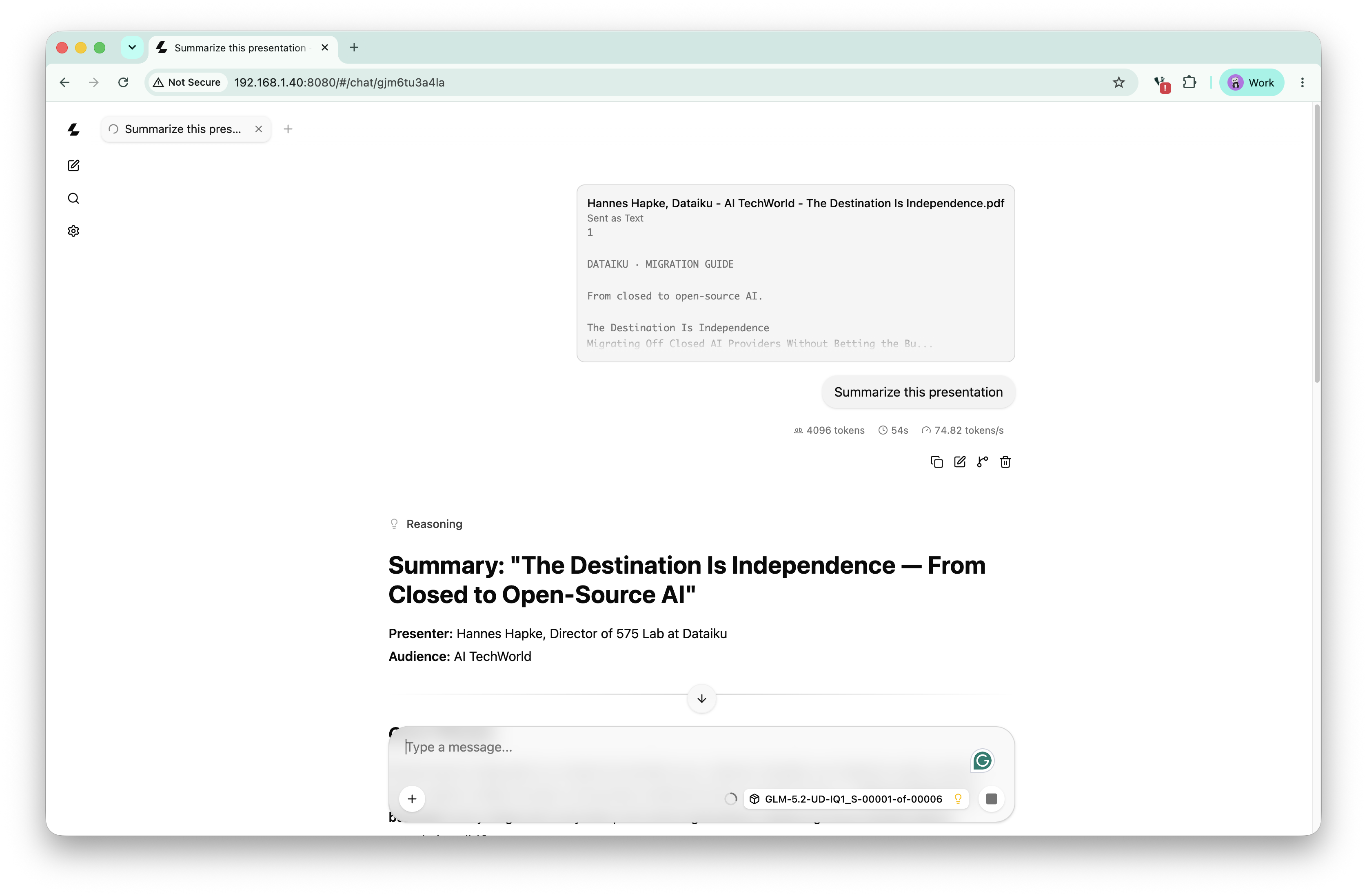
Using the llama.cpp demo server
Load takes about six minutes. Start it before people arrive.
One request at a time. llama-server serializes by default. Fine for a guided demo, not a shared endpoint.
Restart the worker between sessions. There are community reports of rpc-server leaking memory across runs on DGX Sparks. Every crash also takes the worker down with the head — it must always be restarted first.
Nothing here is secured. The RPC server prints a warning that it's an experimental, unauthenticated protocol — keep it bound to the ConnectX-7 address only. llama-server has no API key and open CORS unless you add --api-key. Tailscale sharing is the access control.
This is a capability demo, not a throughput demo. The head has to pull activations from the worker at every layer, and llama.cpp RPC has more overhead than the NCCL path vLLM would use. If your goal is a fast shared inference box, run a smaller model that fits vLLM's native formats and take the NVIDIA playbook route instead.
One DGX Spark is a very good 120B-class local inference box you can share safely in an afternoon. Two DGX Sparks instances are 256 GB systems that run models most people have only used through an API — provided you update the firmware, set jumbo frames, and know which IP is yours. And the whole thing sits on a shelf, silently, drawing less power than a space heater.